
Identity Check as a US Business or Sole Trader

This guide outlines the necessary documentation for US businesses and sole traders to become authorised professional dealers on Chrono24, drawing on the key requirements for Know Your Customer (KYC) and Know Your Business (KYB) processes.
You will find information on the following topics:
ID of the Legal Representative
For dealers from the USA, UK and Canada, the following documents are permitted as identity documents of the legal representative:
- Passport
- Driver’s license
Please note the following when making copies of your documents for verification:
- The document must be photographed, not scanned.
- Both the front and back of the document must be uploaded.
- No information may be blacked out or made illegible.
- All corners and edges of the document must be visible.
- There must not be any glare or reflection.
Proof of Registration & Articles of Incorporation
For both businesses and sole traders, it’s crucial to provide adequate proof of registration. Our online marketplace requires official documents to verify your identity and business status. Depending on whether you are registered as a business or as a sole trader, the specific documents and requirements may vary slightly.
For Businesses
Only official documents issued by the State Business Register/State Secretariat and dated within the last three months can be accepted.
Acceptable documents include:
- Business Licence
- Certificate of Incorporation
- Certificate of Good Standing
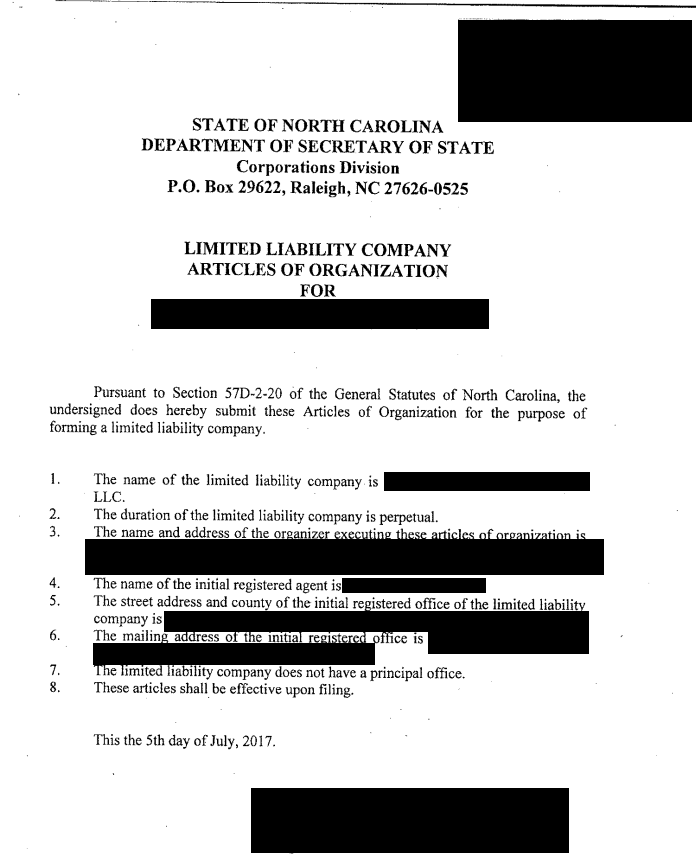
- Articles of Organization
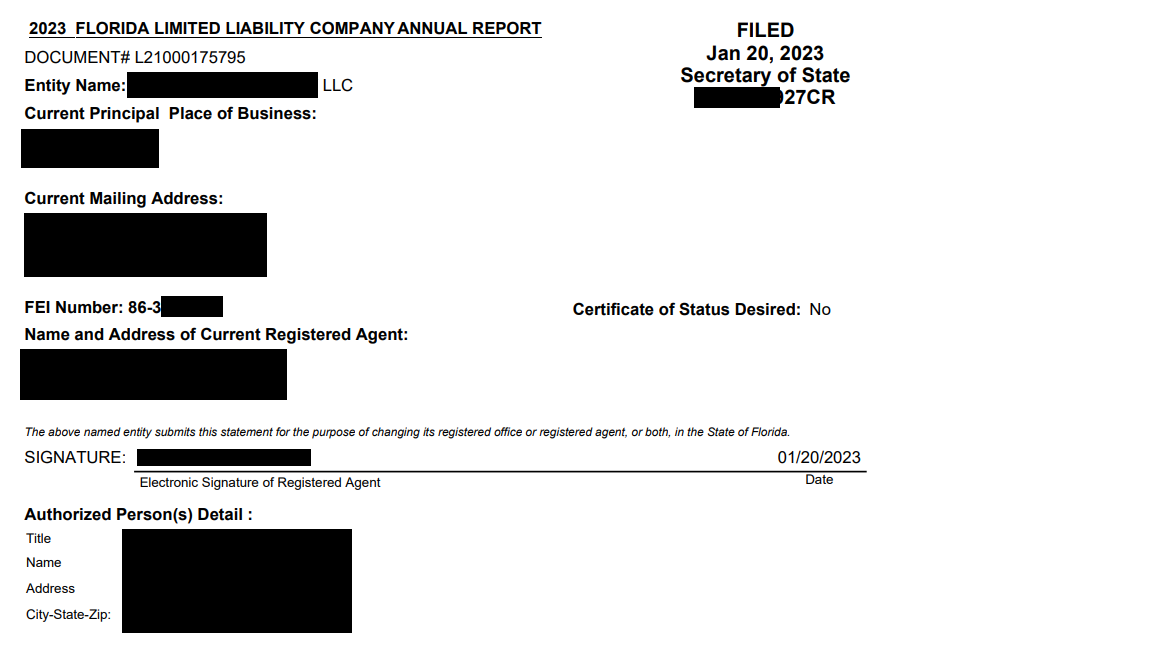
- Annual Report
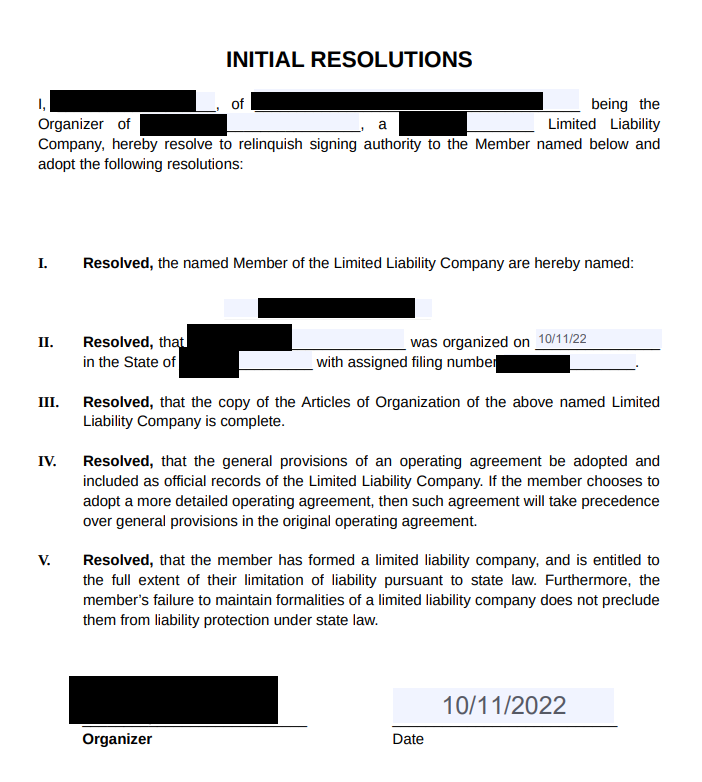
- Initial Resolutions
Regardless of the document type, it must clearly display the following information:
- Company name
- Legal form
- Country of incorporation
- Registered address and place of main business (if different)
- Official identification number
- First name and last name of the legal representative
Documents older than 3 months
If your company was incorporated more than three months ago, a standard extract from the State Business Registry might not be sufficient. To ensure your company is still active, you will also need to supply the following:
- The last Annual Tax Declaration Certificate delivered by the IRS. This document must not be older than one year.
- If the company was incorporated less than a year ago, you may not have a Tax Declaration Certificate. In this case, you can provide the old registration proof alongside a screenshot of the company’s information on the registry website confirming the status is “Active”, including the date of the screenshot.
For Sole Traders
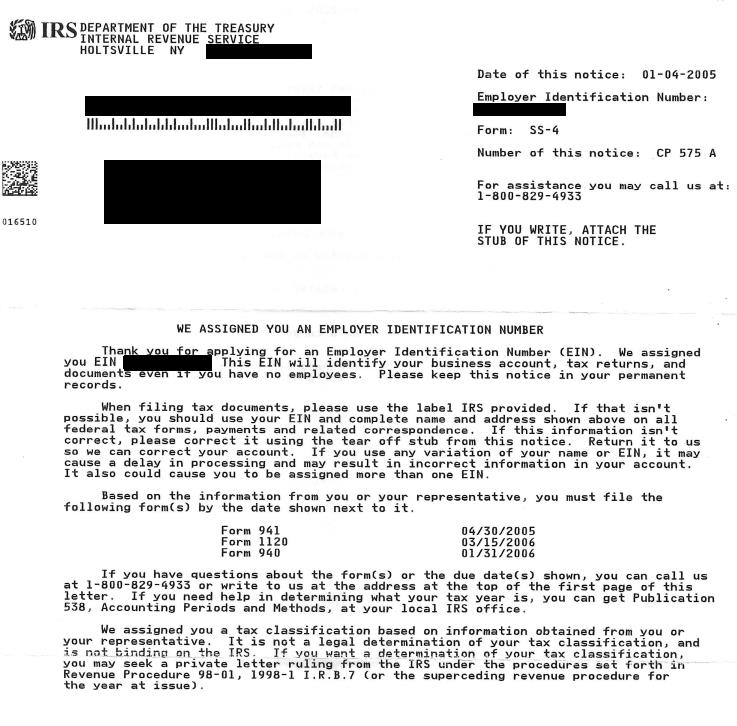
Sole traders can provide the following documents, which are delivered by the IRS:
- EIN Attribution Letter (if dated within the last 3 months)
- The last W9 form
- The last Annual Tax Declaration Certificate
Disclaimer: This following guidance provides a general overview of the Compliance requirements regarding the documents requested in the KYC/KYB process and the minimum standards of acceptability. It does not aim to provide granular or exhaustive information on every document that could potentially be acceptable for the different entities in the various jurisdictions but instead it is intended to explain the type of elements required for the identification and verification of every user type.


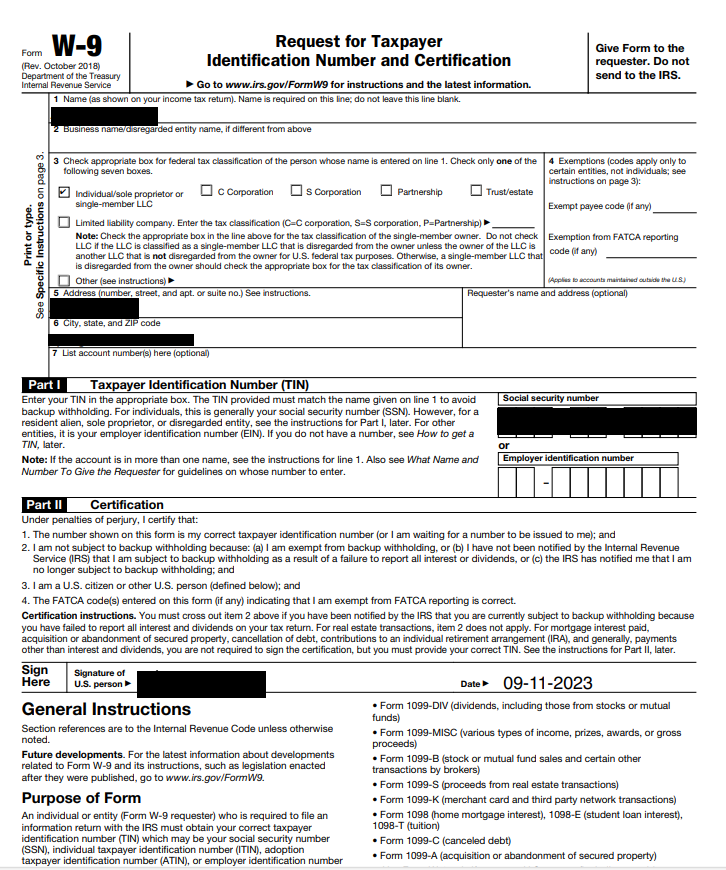
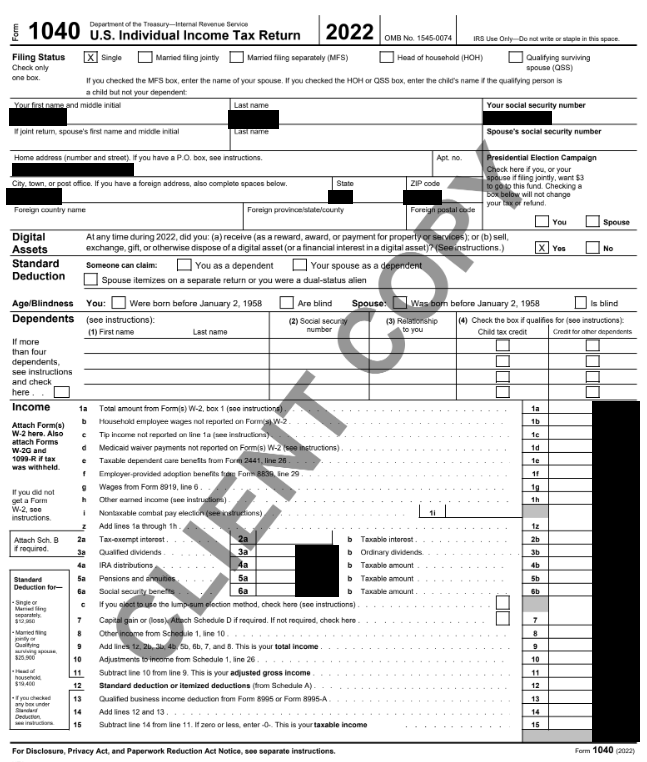
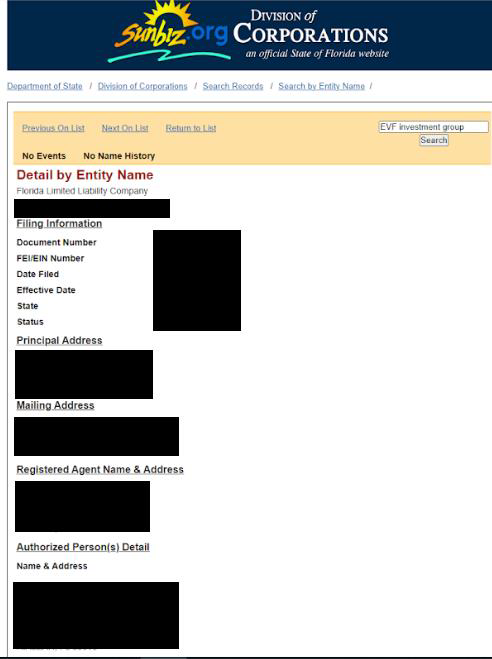
Links to the Company Registry Websites for each State
How do I submit the required documents?
Already registered as a dealer on Chrono24? If so, you can upload the documents in your Market Portal. Simply log into your Market Portal and follow the blue instructions.

What happens if I don't upload the documents?
If you’re registering as a dealer on Chrono24 for the first time, you will be required to upload the necessary documents as part of the registration process. This is the only way to create and activate your account. If you’re already registered as a dealer, and are asked to resubmit your documents but fail to do so, we may place restrictions on your account. As a result, you will not receive any payouts for transactions made on our platform. In addition, the successful verification of your identity is part of our criteria for becoming a Trusted Seller. If you do not provide all required documentation, you risk losing your Trusted Seller status.

Have questions or need assistance? Please reach out to your personal contact or send an email to KYC@chrono24.com.
Weitere Beiträge
New Chrono24 Brand Identity
With a comprehensive rebranding, the global marketing campaign "Time Is Our Thing," and a new corporate website, we are setting the course for the future. Our goal is clear: to establish Chrono24 as the world's first choice for buying and selling luxury watches.

Price analysis
Discover the new price analysis section in your Marketplace Manager Easily compare your prices with current Chrono24 market prices and use other features to strengthen your competitiveness.

Listing Optimization
Increase the visibility of your listings and thereby boost requests! Find out how optimal image quality, detailed product descriptions, and realistic pricing increase your chances of selling, why some listings do not receive any inquiries, and how you can change this.